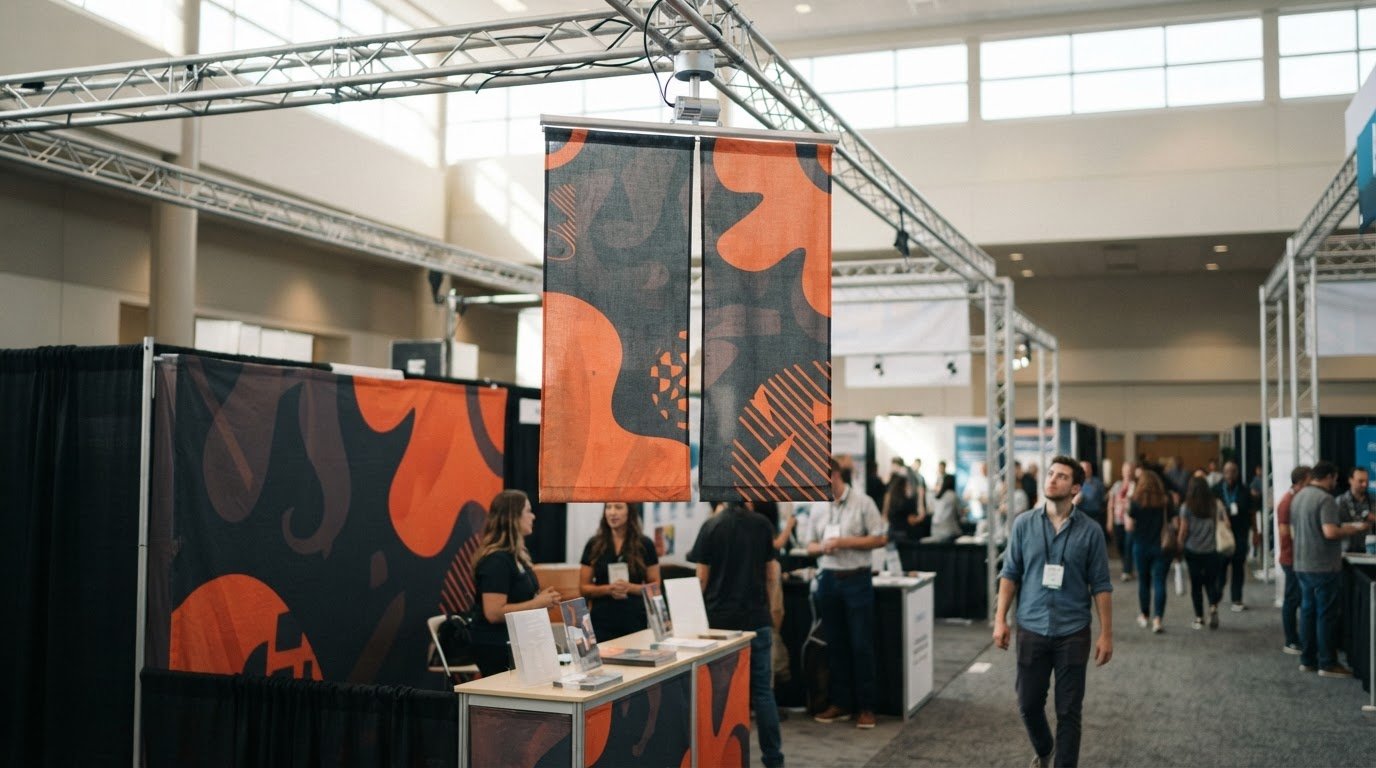
The right motor depends on banner load, dimensions, and operating needs, not speed alone. A hanging banner rotation motor should match the display’s capacity requirements and event schedule. One listed model turns at 1.5 RPM, uses 14 watts, and is recommended for daily use of 8 hours or less.
A slow, steady rotation can bring a suspended display into view from different angles, but the motor must suit the banner and event schedule. Choosing a hanging banner rotation motor by capacity alone can overlook practical details that affect the setup.
This guide explains how to assess weight capacity, banner dimensions, rotation speed, power requirements, and daily operating time. You’ll learn which specifications matter when comparing options and planning a display that rotates effectively at your event.
Key Takeaways
- Match motor capacity to the banner’s dimensions and total suspended load, rather than choosing by booth size alone.
- Compare power compatibility and outlet options, especially if the display will use daisy-chained lighting.
- Plan the setup so electrical wires stay clear of moving parts and lighting is distributed evenly across the banner.
- Review physical dimensions, weight, remote-control range, and rotation controls to make sure the motor suits your event layout.
Motor weight capacities
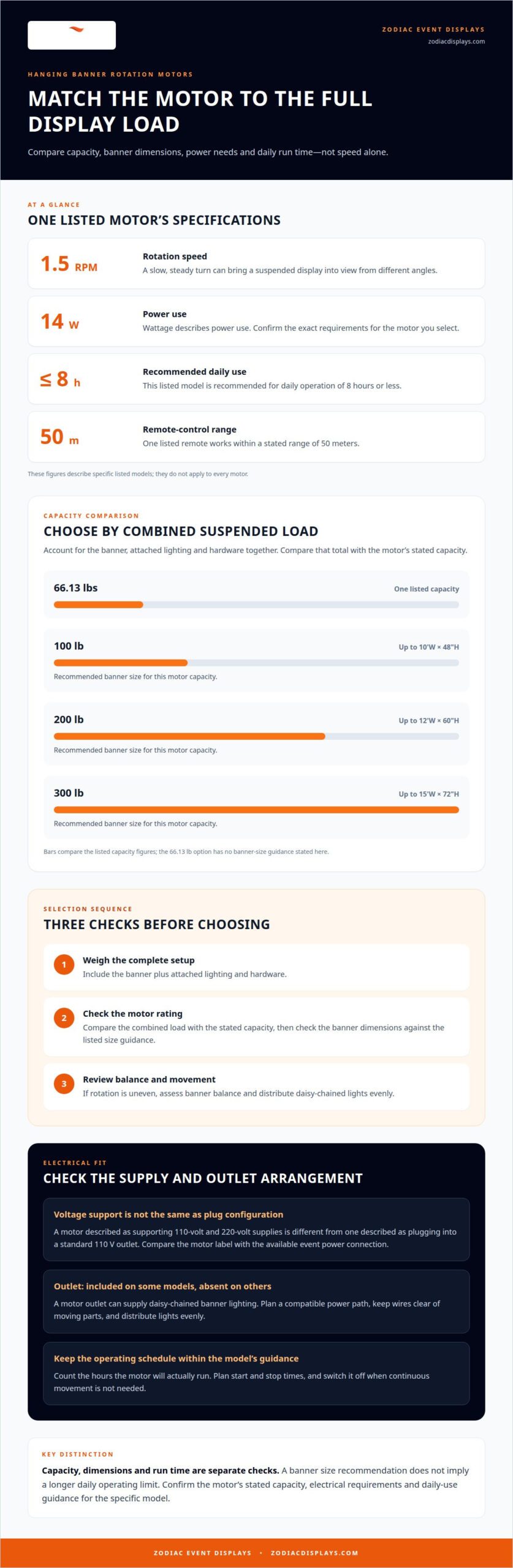
Choose a spinning motor by comparing its capacity with the banner’s dimensions and total suspended weight. The listed options range from a 66.13 lbs capacity to models rated at 100 lb, 200 lb, and 300 lb.
Banner Weight Capacity
Banner weight capacity describes the load the motor is intended to rotate. One listed motor has a 66.13 lbs capacity; other common options are rated at 100 lb, 200 lb, and 300 lb. Match the rating to the banner’s actual weight, not just its visual size. Include attached lighting and hardware when considering the suspended load.
Dimensions help narrow the choice: a 100 lb motor is recommended for banners up to 10’W and 48″H, while a 200 lb model is recommended for banners up to 12’W and 60″H. If rotation stalls or looks uneven, assess the total load and balance the banner. Distribute daisy-chained lights evenly, and keep electrical wires clear of moving parts.
Maximum Load Capacity
Maximum load capacity refers to the weight the motor is expected to handle in the complete hanging setup, not just the banner fabric. Check what the motor rating covers, then account for the banner, attached lighting, and hardware together. “Compressive weight capacity” refers to the load pressing through the support connection; don’t treat it as a separate motor rating unless the specification explicitly defines it.
For larger displays, a 300 lb spinning motor is recommended for banners up to 15’W and 72″H. Use this simple selection sequence:
- Weigh the banner and attached components.
- Compare the combined load with the motor’s stated capacity.
- Match banner dimensions to the listed size guidance.
If the motor won’t rotate, first compare the suspended load with its rating. If the banner turns unevenly, review its balance and lighting distribution. Suitable capacity helps the display rotate smoothly, but size alone shouldn’t determine your choice.
Motor speed and power requirements
Rotation speed and electrical compatibility affect how a display performs on a trade show floor. Compare the motor’s rated speed, voltage, wattage, and outlet configuration with the venue setup.
Operating Voltage and Power
One spinning motor turns at 1.5 revolutions per minute and uses 14 watts. These figures describe that model, not every motor, so match the specifications to the unit you select. A steady rotation can keep graphics visible from changing viewpoints without dominating a booth’s visual presentation.
For power, distinguish a motor that supports 110-volt and 220-volt supplies from one described as plugging into a standard 110 V outlet. Those specifications aren’t interchangeable: the first indicates supported voltages, while the second identifies a plug-in arrangement. At a trade show, compare the motor label with the available power connection before planning the display.
Voltage and Power Use
Voltage describes the electrical supply a motor is designed to use; wattage describes its power use. A listed 14-watt motor with 110-volt and 220-volt support gives you both figures to consider. Confirm the selected motor’s exact requirements, then coordinate its power connection with the event setup.
Also consider whether the motor includes an outlet. Spinning motors are available with or without one, and models with an outlet can supply daisy-chained banner lighting. This can shape how you arrange the display, since lights need a compatible power path. Keep electrical wires clear of moving parts, and distribute daisy-chained lights evenly to help balance the banner.
Before settling on a setup, compare rotation speed, supply voltage, wattage, and outlet needs as a group. For a broader look at the visual elements surrounding your display, explore event display ideas.
The Hanging Banner Rotating Motor includes a power outlet, which may help when planning a power path for banner lighting. Check how the outlet fits into the rest of the display’s electrical setup.
Recommended daily operating time
Plan the motor’s run time around the hours the display needs to rotate. One listed spinning motor is recommended for daily use of 8 hours or less, so include every period it will run during the day.
For a longer event schedule, separate active display time from setup and teardown. Decide when rotation adds value, then switch the motor off when continuous movement isn’t needed. Keep planned daily operating time within the recommendation for that model. Banner size is a separate selection factor: a larger banner needs suitable capacity, but size alone doesn’t change the stated daily-use guidance.
Use the size recommendations to match the display to its motor, then plan the operating schedule separately:
- A 100 lb motor is recommended for banners up to 10’W and 48″H.
- A 200 lb motor is recommended for banners up to 12’W and 60″H.
- A 300 lb motor is recommended for banners up to 15’W and 72″H.
These dimensions help frame the display choice; the daily limit still applies to the specific motor. For example, a banner sized for a 200 lb motor doesn’t imply a longer daily run time. Build the schedule from the hours the motor will actually operate, not from the booth’s total open hours.
A remote control can support practical operation during an event. One listed remote works within 50 meters, giving the operator a stated range for controlling the motor. Include its position in the setup plan, then consider whether the display needs to rotate throughout the event or only during selected periods.
Before the event, write down the expected start and stop times and total the motor’s daily running time. If that total exceeds 8 hours, choose a motor whose stated daily-use recommendation matches the schedule. This simple check brings operating time, banner dimensions, and the event plan into alignment.
Hanging banner motor specifications
Compare physical size, control features, and rotation motion alongside capacity and power. These details help determine how a motor fits the display and installation plan.
Motor Types for Hanging Banners
Hanging banners use spinning motors, with specifications that vary by model. One listed motor rotates at 1.5 RPM; the Cyclone-650 rotates at 2 RPM and turns through 360 degrees. Models are also available with or without a power outlet, which can matter when planning banner lighting.
For installation, follow the motor’s instructions and connect it to its specified power supply. Keep electrical wires clear of moving parts so they don’t interfere with rotation.
Choosing by Banner Size and Weight
Choose a motor by matching the banner’s dimensions and total suspended weight to its capacity guidance. A larger banner can create a different load and movement profile, so compare both measurements rather than relying on weight alone. The listed recommendations pair motor capacity with maximum banner dimensions.
Compare those physical measurements with the space above the display before selecting a unit.
Outdoor Use and Weather Ratings
For outdoor use, select a motor whose manufacturer rating explicitly covers the expected exposure. Check the stated weather rating and intended conditions, including whether the motor and its electrical connections suit that placement. Don’t assume an indoor motor can handle outdoor exposure.
Motor specifications alone don’t establish compliance with U.S. electrical, venue, or installation requirements. Follow the requirements that apply at the specific event location.
Typical motor prices vary with capacity and features, such as an included power outlet. Compare the configuration that fits the banner rather than treating one price as universal.
For a precise match between display dimensions and motor requirements, explore custom hanging signs.
These figures offer another reference when checking display clearance and handling needs.
Zodiac Event Displays: Event Tents
Zodiac Event Displays helps bring event branding together with Event Tents designed to anchor a visible, cohesive presence. Once you’ve matched a rotating banner motor to its load, dimensions, power needs, and operating schedule, consider how the rest of the display will work around it.
An Event Tent can establish a branded footprint, while Backwall Displays, Custom Flags, Inflatables, and Table Cloths can extend the presentation across the space. These elements serve a different role from a rotating banner: they shape the broader event environment rather than determine motor capacity or operation. Consider how attendees approach your display, where key messages should appear, and how each branded element supports the overall layout.
For a coordinated event display, contact Zodiac Event Displays or visit zodiacdisplays.com.
Make Your Event Display Work as One
A rotating banner is most effective when it supports the larger story your event space needs to tell. Consider how its motion, message, and placement relate to attendee pathways and the rest of your visual presentation. A well-planned hanging banner rotation motor setup is one part of that picture; thoughtful coordination helps each display element feel intentional rather than compete for attention.
As you move from specifications to event planning, map out where visitors will first see your brand and what you want them to notice next. This perspective can guide decisions about graphics, layout, and each display’s role. Zodiac Event Displays can help bring the broader event environment into focus through its event display offerings.
Contact Zodiac Event Displays to discuss your event display plans. Your next presentation can be clear, cohesive, and built around the impression you want to make.
Frequently Asked Questions
What is a hanging banner rotation motor and how does it work?
A hanging banner rotation motor turns a suspended display so its graphics can face viewers from changing angles. The motor provides controlled motion through the hanging setup, while the banner’s size and weight determine the appropriate capacity. For example, a motor with start/stop control lets an operator manage movement during an event rather than leaving the display in continuous motion.
What rotation speed and direction options are available for banner motors?
Listed examples include a motor rotating at 1.5 RPM and the Cyclone-650 at 2 RPM. The Cyclone-650 rotates through 360 degrees, and banner motors can support bidirectional rotation with start/stop control. For a trade show, choose based on the visual effect you want: a slower turn keeps motion subtle, while direction control lets you adjust how the banner presents itself.
What power supply and electrical requirements do banner rotation motors need?
Requirements depend on the model: listed specifications include support for 110-volt and 220-volt power, while another motor plugs into a standard 110 V outlet and uses 14 watts. Compare the selected motor’s voltage and connection with the event’s available supply. If banner lights are daisy-chained through a motor outlet, distribute them evenly and keep wires clear of moving parts.
How do you install and wire a hanging banner rotation motor?
Follow the motor’s instructions and connect it to its specified power supply. Keep electrical wires clear of moving parts, and distribute daisy-chained lights evenly to balance the banner.

 Previous reading